
The old AI tool question was too simple.
For a while, agencies could treat tool selection like a basic split. Use Perplexity for research. Use ChatGPT or Claude for writing. Maybe use another tool for coding.
That framing is outdated.
The serious comparison today is Claude versus ChatGPT versus Gemini. Even that can be misleading, because agencies do not use models in the abstract. They use them inside workflows.
A model can be smart and still be the wrong tool for the job. A tool can win a benchmark and still create too much friction for the person using it.
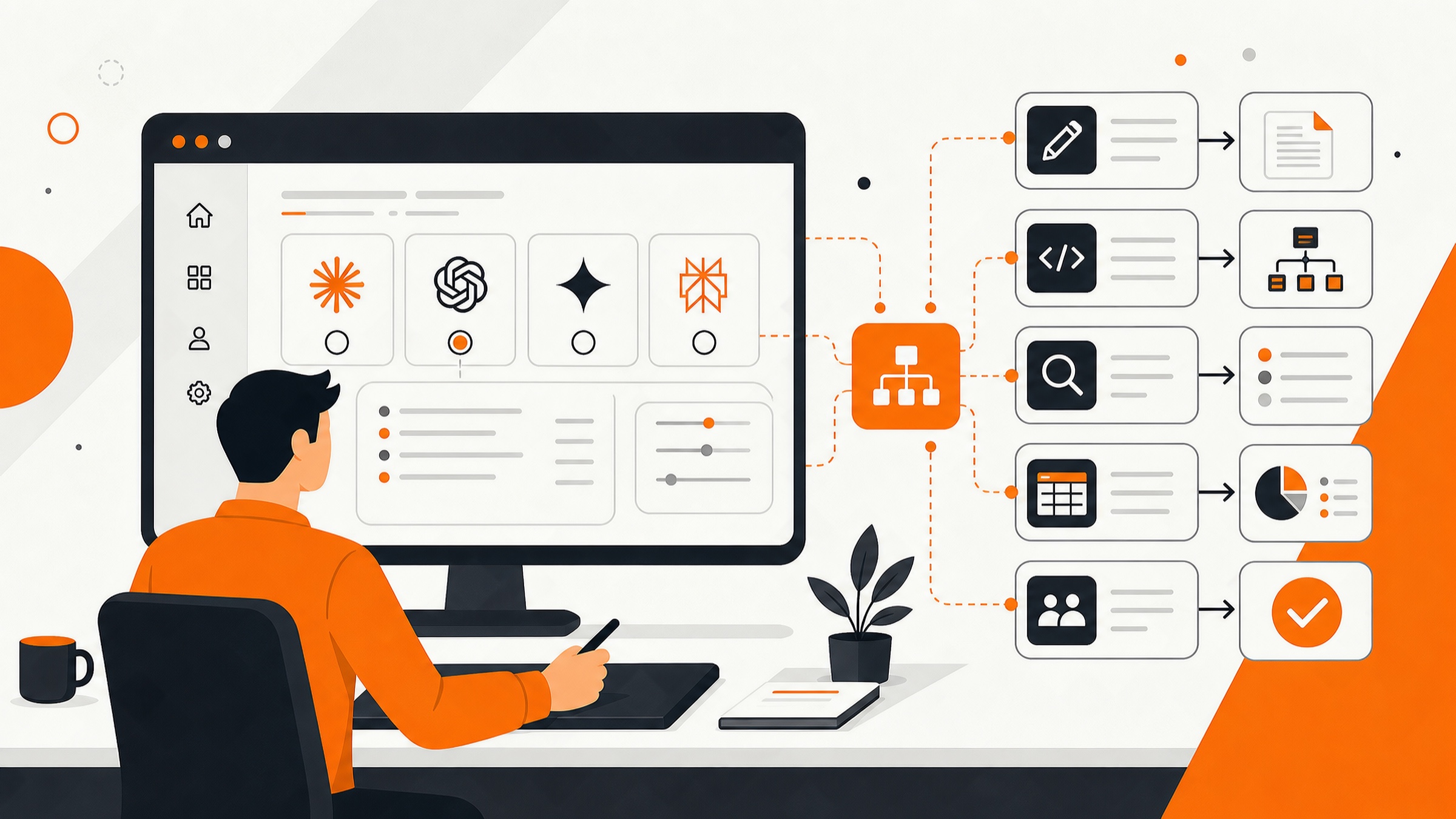
That is the real question now: which AI fits the workflow?
For most agency teams, Claude is the best default. For technical users and motivated power users, ChatGPT has the higher ceiling. For Gemini, the answer is still narrow. Use it where it has a specific advantage, but do not make it the main agency AI system yet.
Why Workflow Fit Matters More Than Model Rankings
Most AI comparisons start with the same question: which model is smartest?
That matters, but it is not enough.
Agencies do not work inside clean benchmark tests. They work inside client briefs, proposal drafts, brand guidelines, campaign reports, spreadsheets, meetings, emails, websites, automations, approvals, and revisions.
A good AI tool should help the right person move through that work with less friction.
Before choosing the tool, ask a few practical questions:
- Who is actually using it?
- How technical are they?
- Is the task mostly writing, research, coding, analysis, or file work?
- Does the tool need to act on documents, browser tabs, spreadsheets, or code?
- Will the user review the output carefully?
- Does the workflow need repeatability, not just a good one-off answer?
Those questions matter more than leaderboard position.
The same model can feel completely different depending on the app around it. Claude in a chatbot is one thing. Claude Cowork is another. ChatGPT in a normal chat is one thing. ChatGPT with Codex is another.
The interface matters. The agent tools matter. The usage limits matter. The review process matters.
Claude: The Best Default for Most Agency Teams
Claude is the safest default for most non-technical agency users.
Not because it wins every benchmark. It does not. Claude wins because normal business users tend to get useful work from it faster.
That matters more than people think.
Most account leads, strategists, copywriters, project managers, and agency owners do not want to manage model settings, coding agents, tool menus, or advanced configuration. They want to open the app, explain the job, and get something usable.
Claude is better for that kind of work.
The outputs usually feel more natural out of the box. The writing tends to need less cleanup. It handles messy context well. It is strong for documents, planning, synthesis, voice, and client-facing drafts.
For the average business owner, Claude is the best bet.
Use Claude for:
- Client strategy documents
- Campaign briefs
- Content outlines
- Internal SOPs
- Brand voice work
- Meeting note synthesis
- Proposal drafts
- Client-facing summaries
- Editorial review
- General knowledge work
Claude is especially useful when the task needs judgment, structure, and good writing.
If your team is turning messy inputs into clean deliverables, Claude should usually be the first tool you test.
Claude Cowork Changes the Recommendation
Claude Cowork is the biggest reason Claude belongs in the default workflow for less technical users.
A chatbot helps someone talk through work. Cowork helps them hand off work.
That is a real difference.
Claude Cowork is a desktop interface designed for non-technical knowledge work. Instead of asking the model for advice, the user can give it an outcome.
For example:
- Organize these files.
- Pull the useful data out of these PDFs.
- Turn these notes into a report.
- Clean up this folder.
- Summarize this research.
- Prepare this document.
That is closer to how a business owner or account lead thinks. They do not want to become prompt engineers. They want to delegate a task, supervise the work, and review the result.
Cowork is still not magic. It will make mistakes. It can get stuck. It needs review. But it fits the workflow of non-technical knowledge workers better than the alternatives.
There is also a lot of practical training material around Claude and its related tools. That matters for agencies because teams need examples, not just feature lists.
Claude’s Weakness: Usage Limits
Claude’s biggest weakness is usage.
The $20 plan can hit limits quickly when someone uses it for real work. Long documents, agent tasks, Cowork work, and repeated client deliverables can burn through the plan fast.
Claude Max helps, but it mostly solves capacity.
The higher tiers give much higher usage limits, commonly framed as 5x and 20x, plus priority access to new features. That can be worth it for heavy users, but agencies should not buy expensive seats for everyone by default.
Use Claude Pro for normal users. Use Claude Max for people who keep hitting limits and whose work justifies it.
That usually means founders, senior strategists, content leads, operations leads, and people using Cowork heavily.
ChatGPT: The Power-User Lane
ChatGPT has the higher ceiling for technical and motivated users.
That does not mean every user will get better results from it.
A non-technical user may get better work from Claude because Claude is easier to use well. But a technical user who understands the system can often get more out of ChatGPT.
OpenAI’s models often have stronger raw capability. The catch is that the user needs to know how to interface with them.
ChatGPT is strongest when the user knows how to:
- Pick the right model
- Use the right mode
- Work with files
- Run analysis
- Use Codex
- Build automations
- Create internal tools
- Manage technical workflows
That is why ChatGPT belongs in the power-user lane for most agencies.
Use ChatGPT for:
- Coding
- Debugging
- Automation planning
- API workflows
- Data analysis
- Custom reporting
- Internal tool building
- Advanced research
- Technical strategy
- Spreadsheet-heavy work
- Systems design
For builders, automation engineers, analysts, technical founders, and advanced operators, ChatGPT is often the better choice.
Codex Is the Main ChatGPT Advantage
Codex is the biggest reason to keep ChatGPT in the agency stack.
Most agencies now have code-adjacent work, even if they do not think of themselves as technical businesses.
That includes:
- Make.com scenarios
- Zapier workflows
- CRM automations
- Custom dashboards
- Reporting scripts
- Website edits
- API connections
- Data cleanup
- Internal tools
- Client portals
- Lead routing
- Content operations systems
Codex gives technical users an agent that can work through real project tasks. It sits in the same category as Claude Code: not just answering questions, but taking action in a project environment.
Claude Code is excellent too. Some developers will prefer it. But ChatGPT plus Codex is a strong setup for technical agency work.
ChatGPT also tends to offer better practical usage on the $20 plan. The baseline matters. If a tool lets someone keep working instead of constantly hitting limits, that affects the workflow.
ChatGPT’s Weakness: Interface Complexity
ChatGPT is easier to use badly.
There are more models, modes, tools, and settings. That gives advanced users more power, but it gives normal users more ways to choose the wrong path.
A business owner who just wants a clean client brief probably does not want to think about model selection, reasoning settings, agents, research modes, files, projects, memory, and Codex.
That is why ChatGPT is not always the best default, even when the underlying models are strong.
The more advanced the user, the better ChatGPT gets. The less technical the user, the more Claude tends to win.
Higher-Tier Plans: Usage Versus Access
The $100 and $200 plans are not the same decision for every platform.
For Claude, the higher tiers mostly buy much higher usage limits and priority access. There is usually feature parity with the $20 plan, so the upgrade decision is simple: upgrade when limits are slowing down real work.
For OpenAI, higher tiers can also unlock specific models and Codex features. That includes high-powered deep thinking models for complex tasks and strategy, plus faster or higher-capacity Codex options such as Codex Spark-style models.
OpenAI also offers 5x and 20x usage-style tiers, but the base level is already more usable for many serious workflows. That means a ChatGPT power user may feel less constrained before upgrading.
The practical buying rule is straightforward:
- Upgrade Claude users when limits are interrupting valuable work.
- Upgrade ChatGPT users when the higher-end model, Codex capacity, or technical workflow justifies it.
- Do not buy expensive seats just because someone likes AI.
- Buy higher tiers by role and workflow.
Gemini: Useful in Specific Places, Not the Default
Gemini is the weakest default recommendation right now.
The issue is not only model quality. Google can produce strong models. The problem is the product layer.
Gemini does not currently have a clean equivalent to Claude Cowork for non-technical desktop work. It does not have the same agency-ready coding workflow as Codex or Claude Code. Gemini CLI exists, but it is not where serious developers are standardizing. Antigravity exists, but it is not something we would hand to a normal agency team and expect smooth adoption.
The Gemini web app also still feels behind Claude and ChatGPT for practical business workflows.
That matters.
A model can lead in raw capability and still lose the business-use comparison if the app around it is weak.
Gemini can still be useful for:
- NotebookLM-style source work
- Large document collections
- Google Workspace experiments
- Certain multimodal tasks
- Specific Google ecosystem workflows
That is a specialist lane. It is not the main agency AI operating system yet.
Where Perplexity Fits Now
Perplexity does not need to be in the default agency recommendation anymore.
It had a useful role when the major tools were weaker at research. That role is much less compelling now.
Claude and ChatGPT both support research, files, citations, connected tools, and deeper workflows. More importantly, they also handle the work that comes after research: synthesis, writing, coding, analysis, and execution.
Perplexity mostly solves one slice of the work.
Agencies need systems that cover the workflow.
That is why we would not build a modern agency AI stack around Perplexity today.
A Practical Agency Stack
A simple agency setup could look like this:
- Claude as the default tool for most team members.
- ChatGPT for technical users, automation builders, analysts, and power users.
- Gemini or NotebookLM for specific source-heavy or Google-based workflows.
- No default Perplexity seat.
That setup keeps the stack simple without pretending one tool should handle every job.
The goal is not to buy every AI product. The goal is to match the tool to the work.
How to Choose by Role
For agency owners and business leaders: start with Claude. It fits planning, writing, delegation, and general business work better.
For account managers: use Claude for briefs, summaries, follow-ups, client context, and internal coordination.
For content teams: use Claude for drafting, editing, voice alignment, and content planning. Add ChatGPT when the work becomes research-heavy, data-heavy, or production-heavy.
For strategists: use Claude for synthesis and client-facing thinking. Use ChatGPT when the work becomes technical or analytical.
For automation engineers: use ChatGPT. Codex and technical tooling matter more here.
For developers: test both ChatGPT with Codex and Claude Code. Use the one that performs better on the actual codebase.
For analysts: use ChatGPT for data analysis and structured technical work. Use Claude when the output needs to become a polished client deliverable.
For source-heavy workflows: use Claude, ChatGPT, Gemini, or NotebookLM depending on the source material. Do not default to Perplexity just because the task has research in it.
How to Roll This Out Inside an Agency
The worst rollout plan is letting everyone pick the AI tool they like.
That creates inconsistent outputs, duplicated work, security problems, and messy processes.
A better rollout starts with workflows.
1. Map the work
Look at the jobs your team repeats every week: client onboarding, strategy briefs, content planning, reporting, research, proposal writing, automation support, internal documentation, and meeting follow-ups.
Then decide which tool fits each workflow.
2. Pick a default
Most agencies should use Claude as the default. It gives normal users the easiest path to useful work.
3. Create a power-user lane
Give ChatGPT to the people who can use it well. That usually means technical users, analysts, automation builders, and advanced operators.
4. Build review systems
AI output still needs judgment. Create review workflows for accuracy, client voice, brand alignment, source checking, strategic quality, and final approval.
The tool helps produce the work. The process keeps it useful.
Keeping the Stack Current Without Chasing Every Release
Agencies should not chase every model release.
Most updates do not matter for most workflows. A new model might be interesting, but that does not mean a team needs to rebuild its process.
This is where Ironwood clients get a different kind of support.
We do not send a generic newsletter every time a lab ships a minor update. We monitor the changes that actually matter and send clients a project-specific update when a model, tool, or workflow change is worth acting on.
Those updates are customized to the client’s actual projects.
If an agency has 20 AI projects set up, the useful update is not “a new model came out.” The useful update is:
- Project 3 should switch models because the new release improves this specific task.
- Project 7 should stay where it is because the workflow does not benefit.
- Project 12 needs a prompt or review-process update.
- The other projects do not need changes.
That is the point of using custom agents to support the system. The update is tied to the actual work, not the hype cycle.
Clients should not have to become model-release analysts. They should know when a change affects their projects, what to update, and what to ignore.
The goal is less churn, not more.
The Right Tool Is the One That Reduces Friction
The best AI tool for an agency is not always the smartest model.
It is the tool that helps the right person complete the right workflow with the least friction.
For most business owners and agency teams, that means Claude.
For technical users and builders, that means ChatGPT.
For narrow Google or source-heavy workflows, Gemini may be useful.
For Perplexity, the default recommendation is gone.
Do not ask which AI is best in the abstract. Ask which AI fits the workflow, the user, the client work, and the review system around it.
That is where the real productivity gains come from.
At Ironwood AI, we help agencies make these decisions intentionally. The goal is not to chase every new tool. The goal is to build a practical AI system your team can actually use: clear defaults, repeatable workflows, good review processes, and project-specific updates when the model race actually changes what your team should do.